01 / CONNECTED POSSIBILITIES
The space between inspiration and your next creation.
Your creative process rarely starts and ends in the same file. A reference becomes a model. A model needs a closer look. A ship needs its engines. An animation becomes a video. Workshop brings those steps into a connected desktop workspace, with a library that keeps the pieces within reach.
Start with the files you already own, or connect your own AI accounts when you want to create something new. You choose the starting point and the next step.
Good to know.
What is MAS Workshop?
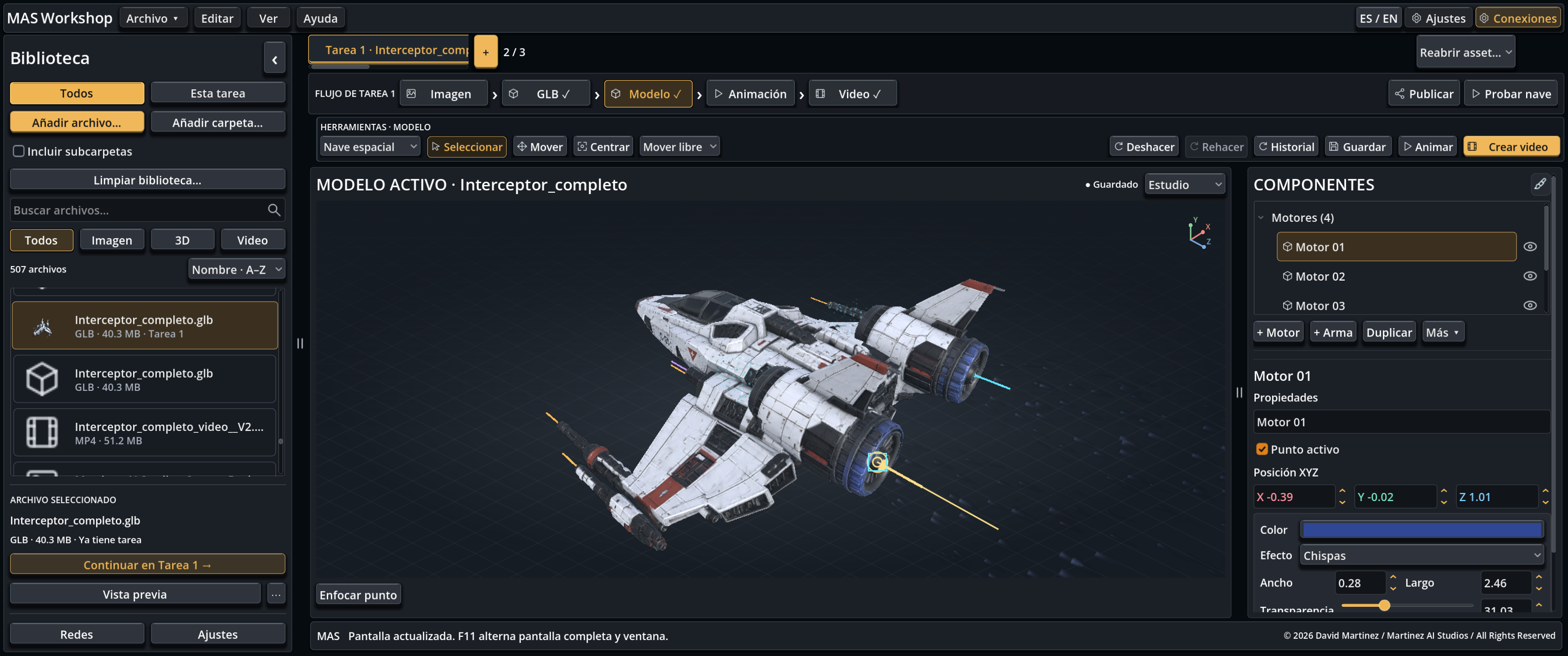
MAS Workshop, also known as MAS GLB Workshop, is a Windows desktop application for working with creative assets. It brings together a library for GLB, PNG, JPG and MP4 files, a 3D viewer and connected tools for model work, animation and video. Optional AI services use your own provider accounts.
Can I open GLB files without using AI?
Yes. Import your own compatible GLB files and use the local library and viewer. You do not need to generate an image or buy AI credits to inspect an existing model. Initial activation and runtime setup still require Internet access.
Does Workshop include the spacecraft shown here?
No. The spacecraft in the application screenshot is a studio example. The interactive golden model on this page is a lightweight illustrative web demonstration. Bring models you own or have permission to use; do not treat the page visuals as a bundled asset pack.
Does it replace a game engine or a complete modeling suite?
No. Workshop focuses on the creative workflow around existing and generated assets. Use your specialist tools for detailed modeling, retopology, advanced production work or building a game. Test exports in the destination engine; visual effects and gameplay logic are not automatically portable.
Are AI image generation and image-to-3D included in the price?
The application includes connected workflows, but provider access, credits and usage are separate. Use your own OpenAI and Meshy credentials where required. Results, processing times and access depend on the provider and your account.
Can I use my work commercially?
Check the rights to your source models, textures, images and any generated output, including the terms of the relevant provider. A Workshop software license does not grant ownership of assets created by others or remove their license requirements.
What should I check before exporting a model?
Review geometry, textures, scale and orientation, play the relevant animation and check any mounts. Save a separate copy, then import that file into the application where it will be used. Different applications may interpret optional metadata and effects differently.
How should I start if I am new to 3D?
Start small: add one compatible GLB to the library, rotate and zoom the view, inspect the model and save a copy. Once that feels familiar, try a presentation video or the relevant model tools. AI generation is optional and can wait until you have a clear goal.
Is this a subscription?
No. The launch price is US$10 per license as a one-time payment. AI credits, subscriptions and third-party provider usage are not included.
Can I use it on multiple computers?
Each purchase can activate one computer. Authorization is bound to the PC identifier at first activation and does not activate a second computer with the same purchase.
Do I need an Internet connection?
Yes, to purchase, download, activate and prepare the app on first use. Setup downloads Blender and FFmpeg from their providers: about 507 MB of additional downloads and 2 GB of free space. Afterwards, local tools work offline without periodic license checks. External AI and updates require Internet access.
What if I reinstall Windows or change hardware?
You can download again and use the same KEY on the original PC while it retains its hardware identifier. Reinstalling Windows alone does not change the data we use. Replacing the motherboard or changes to firmware identifiers may prevent recognition. The license cannot be transferred to another PC; contact support if your original computer is not recognized.
Can I recover my KEY and download again?
Yes. Your Workshop account shows the same KEY and lets you download your software again. A new download does not create another license: the KEY remains bound to the first activated PC. Do not share your key or personalized package.
Which operating system is supported?
64-bit Windows. The download is a ZIP: extract all files and open the executable. A native macOS or Linux edition is not offered.